Automatically print
Shopify order docs
& shipping labels.

Automatically print packing slips, invoices, and other Shopify order documents as orders arrive. Print shipping labels without extra dialogs. Customize your documents and route each job to the right printer—no coding required.

Install on Shopify See how it works 50 free orders/month · 14-day trial on paid · no credit card
Shopify printing, without the busywork

The right document.
Straight to your printer.

Without Autoprinter
Click Print
PDF preview
Download
Open PDF
Open print dialog
Pick printer
Print
≈30 seconds7 manual steps
With AutoprinterUnder 2 secondsFully automatic · 0 clicks
Shopify orders
#1042 ✓ Paid
Online Store
Everyday tote
Qty 1
An order comes in
Ready for printing
Selected for this order
Your design. The right template.
Selected by Autoprinter
Ready at the right printer
No print dialog
Fully automatic · No manual steps
01 · Customize it

Build any order document, the way you want it.

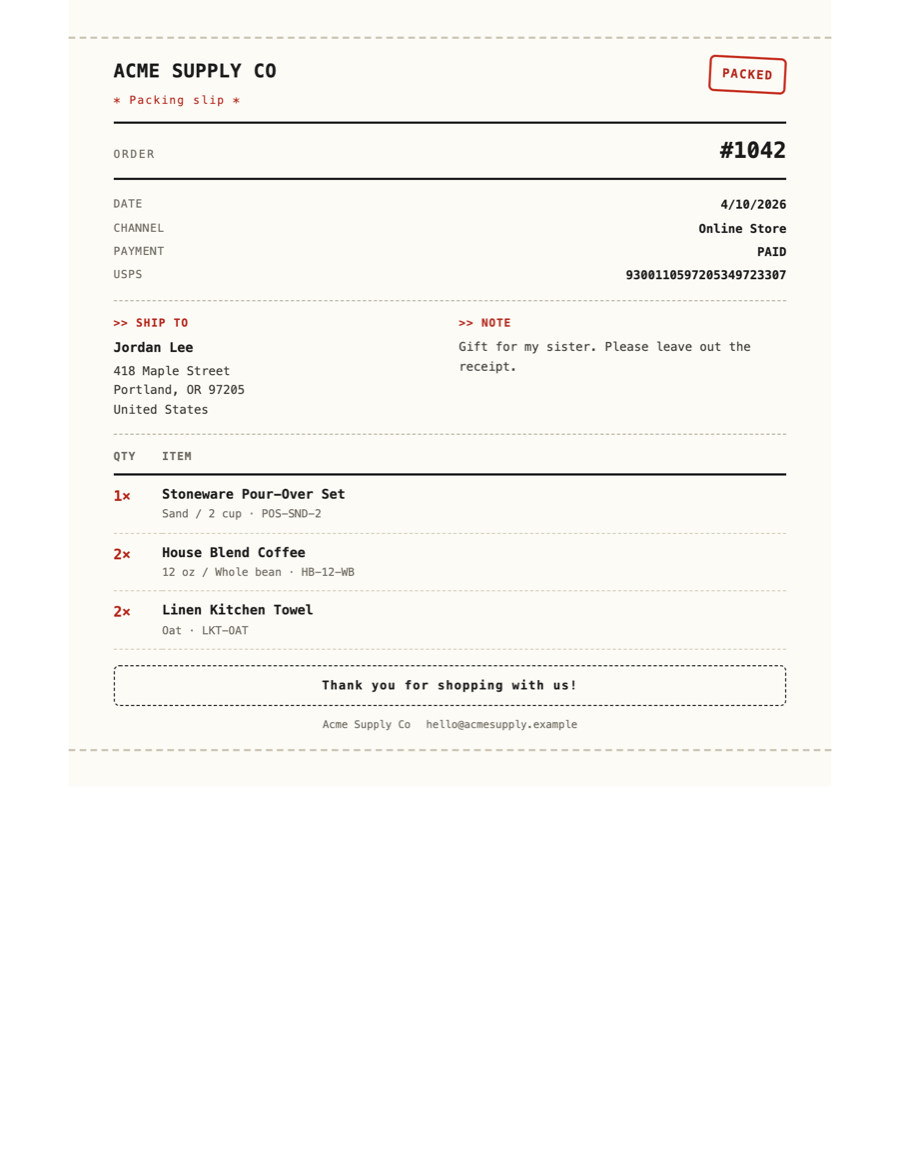
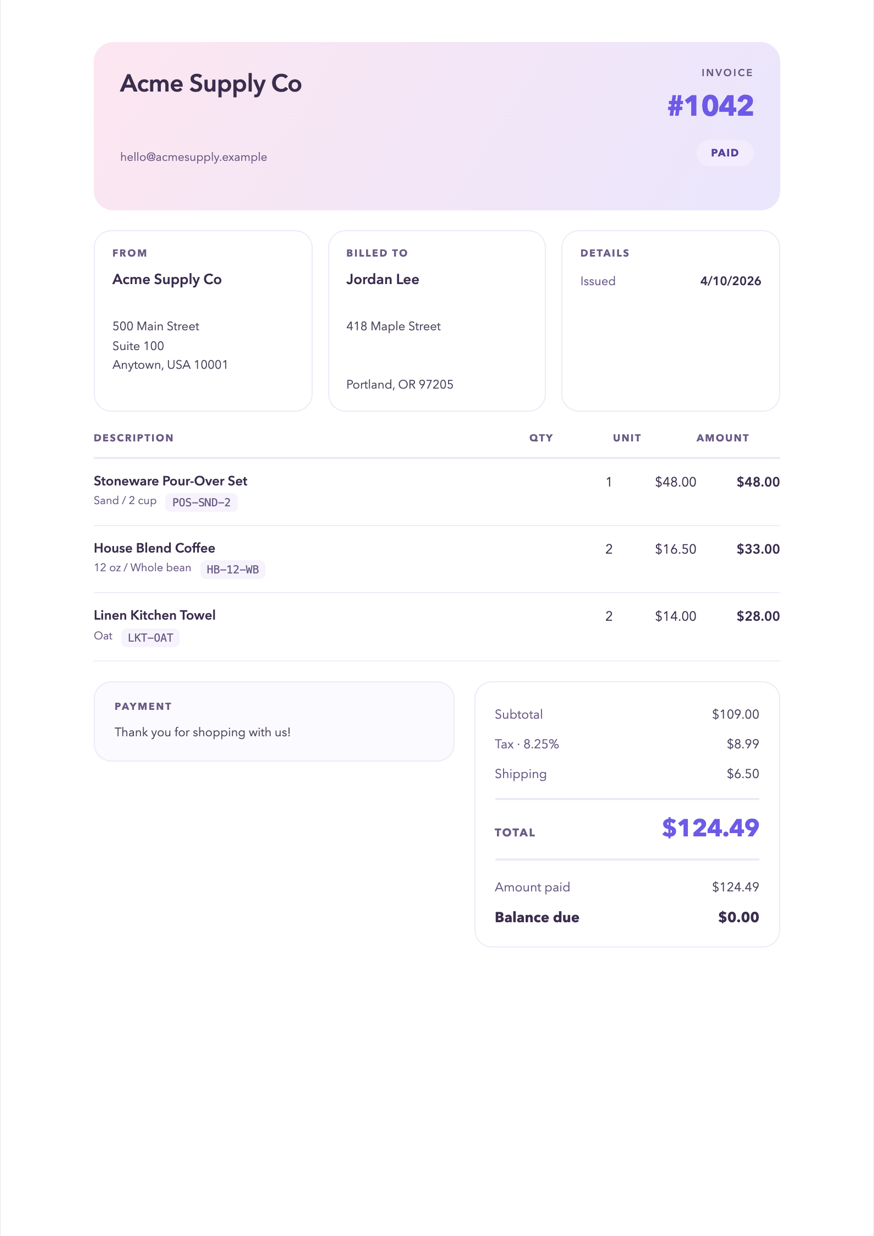
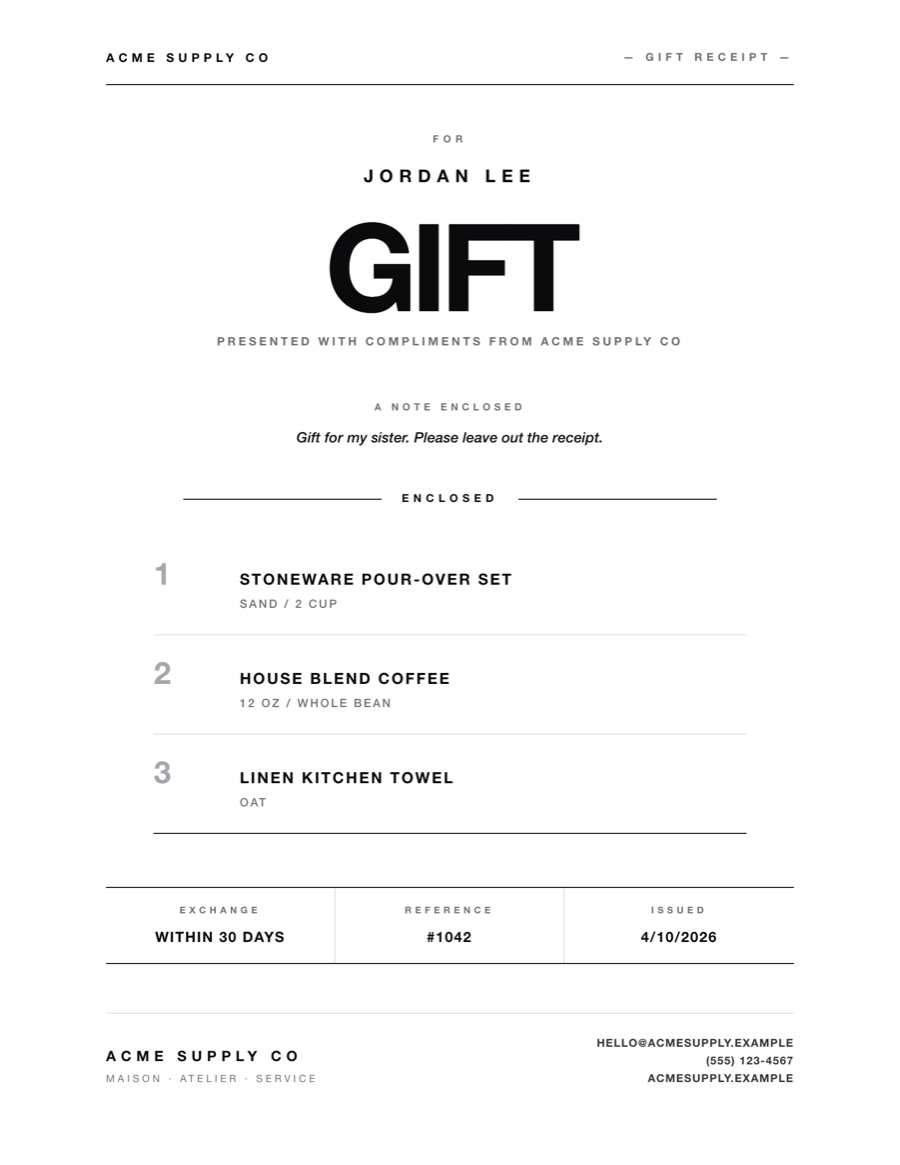
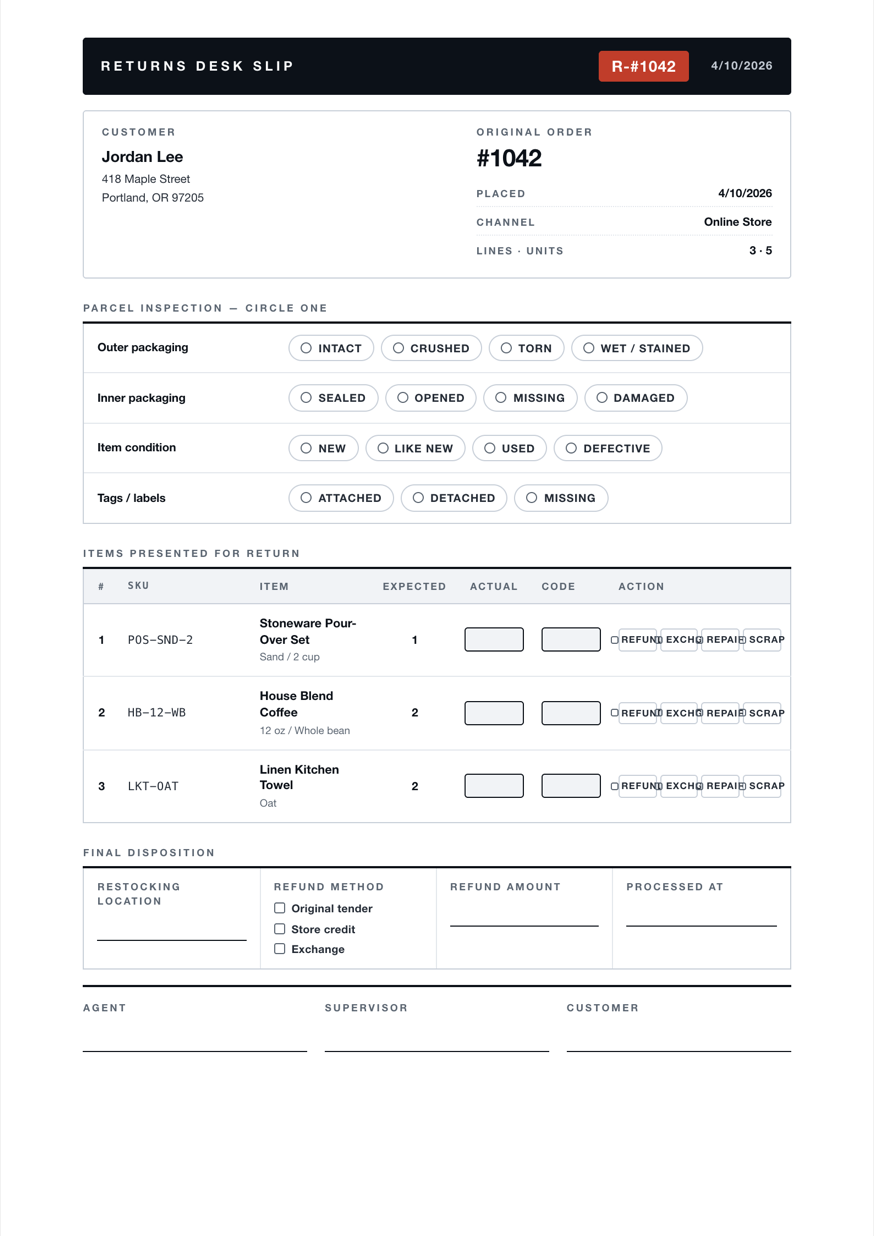
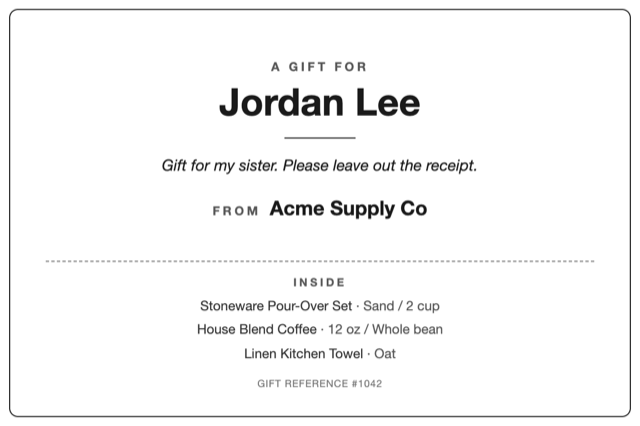
Custom templates for any document your store needs — packing slips, invoices, gift receipts, pick lists, returns. 20 sample templates to start from, or write your own from scratch in HTML/CSS with dozens of order variables ready to use.

Packing slip
Invoice
Gift receipt
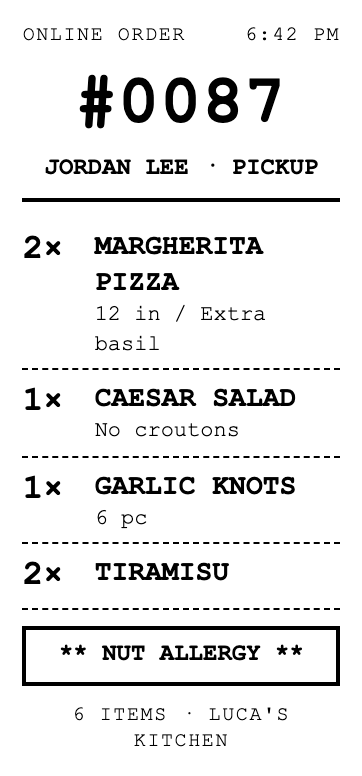
Pick slip
Return slip
Packing slip Invoice Gift receipt Pick slip Return slip
Five document types. Twenty starter templates. Always on-brand.
02 · Route it

Different orders. Different templates. Automatically.

Print rules pick the right template per order — by source, tag, ship-to state, anything you want. Amazon orders get the Amazon Packing Slip, wholesale POs get a Wholesaler Packing Slip, and Arizona orders use a Local-Pickup Packing Slip.

Incoming orders
Order # Customer Ship To Tags Source
#3951 J. Patel Brooklyn, NY Amazon
#3950 R. Chen Phoenix, AZ Shopify
#3949 M. Aslam Boston, MA Amazon
#3948 K. Foster Austin, TX PO-4519 Shopify
#3947 D. Kim Phoenix, AZ Shopify
#3946 L. Walters Tampa, FL PO-7382 Shopify
#3951J. Patel
Brooklyn, NY Amazon
#3950R. Chen
Phoenix, AZ Shopify
#3949M. Aslam
Boston, MA Amazon
#3948K. Foster
Austin, TX PO-4519 Shopify
#3947D. Kim
Phoenix, AZ Shopify
#3946L. Walters
Tampa, FL PO-7382 Shopify
Matched template
Amazon Packing Slip
Print rule Source = Amazon
Wholesaler Packing Slip
Print rule Tag Starts with 'PO'
Local-Pickup Packing Slip
Print rule Ship To State = AZ
#3951J. Patel
Brooklyn, NY Amazon
#3949M. Aslam
Boston, MA Amazon
Source = Amazon
Amazon Packing Slip
#3948K. Foster
Austin, TX PO-4519 Shopify
#3946L. Walters
Tampa, FL PO-7382 Shopify
Tag Starts with 'PO'
Wholesaler Packing Slip
#3950R. Chen
Phoenix, AZ Shopify
#3947D. Kim
Phoenix, AZ Shopify
Ship To State = AZ
Local-Pickup Packing Slip
03 · Print it

Print as orders arrive. Or all at once.

Turn on Automatic Printing when an order is placed, paid, or fulfilled—you pick the trigger. Or select multiple orders in Shopify and print them together in one click. Your templates and Print Rules work the same way in both.

04 · Scale it

From one printer to many. Same setup.

Autoprinter in Shopify selects the right document and Print Station. The Desktop Utility runs on each station’s Windows or macOS computer, receives the print jobs, and sends them to its connected printers. Start with one station; add more in the same room or a different city.

Shopify orders
Shopify adminApps / Autoprinter
AutoprinterPrint Rules select the document and Print Station.
Match the orderRoute the print job
Print Station A
Windows desktopDenver packing room
Autoprinter Desktop Utility
Rollo X1040
4×6 thermal · shipping labels
Print Station B
MacBook ProPhoenix warehouse
Autoprinter Desktop Utility
Rollo X1040
4×6 thermal · shipping labels
Brother HL-L2350DW
Letter · documents
Print Station C
Windows laptopAustin home office
Autoprinter Desktop Utility
Canon PIXMA TR8620
Letter · documents
Autoprinter routes the job. The Desktop Utility on each computer sends it to the assigned printer.
05 · Label it

Buy the label. Let Autoprinter print it.

Print your shipping label in Shopify as usual. The Autoprinter Chrome extension catches the label PDF and sends it to your assigned printer—no extra print dialog, preview, or printer selection.

1

Buy and print in Shopify

Use Shopify’s label workflow for one order or a batch.

2

The Chrome extension catches it

When Shopify opens the label PDF, Autoprinter captures it automatically.

3

Straight to your thermal printer

The Desktop Utility receives the job at your Print Station and prints it on the assigned 4×6 printer.

+

One label or a whole batch

The same automatic handoff works for individual labels and bulk label PDFs.

Read the setup guide
From Shopify shipping label to thermal printer Print a label in Shopify. The Autoprinter Chrome extension captures the label PDF and sends it to the assigned Print Station, where the Desktop Utility prints it without a print dialog. admin.shopify.com/orders/#1042 AUTOPRINTER EXTENSION #1042 PAID Print shipping label USPS PRIORITY MAIL 9405 5036 9930 0042 1818 2 LB · 4×6 LABEL.PDF PDF INTERCEPTED EXTENSION · LISTENING NO PRINT DIALOG NO PREVIEW, NO OK BUTTON 4×6 THERMAL PRINTER printed · 1.8s, no print dialog
Shopify · Print shipping labelYou start the print from Shopify.
Autoprinter Chrome extensionLabel PDF captured → assigned Print Station
4×6 thermal printerDesktop Utility → printed label✓ Printed · 1.8s
Print Chain

One click.
Each order gets its own set.

Combine documents in one print workflow. Your rules decide which ones each order needs.

Sample print chain

  1. Packing slipEvery order
  2. InvoiceRetail or gift orders
  3. Gift receiptGift orders only

4 orders selectedHere’s what prints

Print Chain

#3001

R. Chen
Retail
  1. Packing slip
  2. Invoice
2 documents · printed together

#3002

M. Aslam
Gift
  1. Packing slip
  2. Invoice
  3. Gift receipt
3 documents · printed together

#3003

K. Foster
Amazon
  1. Packing slip
1 document · ready to print

#3004

D. Kim
Retail
  1. Packing slip
  2. Invoice
2 documents · printed together

1 click 4 orders 8 documents

Only the documents that apply. In the order you set.
What you install

Three connected pieces.
One printing workflow.

Manage printing in Shopify, connect the computer that prints, and add the Chrome extension when you want to automate shipping labels.

Inside Shopify

Shopify app

Customize documents, configure Print Rules, and manage printing inside Shopify.

Your printing control center
Windows & macOS

Desktop app

  • Windows 10 or 11 · 64-bit
  • macOS 13 Ventura or later
  • Intel & Apple Silicon Macs

Runs on the computer connected to your printers and sends each job to the assigned printer. Keep it running while you print.

For direct and automatic printing
Google Chrome

Chrome extension

Captures shipping-label PDFs from Shopify and sends them to your selected Print Station.

Only needed for shipping-label automation
Why this exists

A Shopify merchant got tired of paying for ShipStation.

Autoprinter was built by a Shopify merchant who got tired of paying for ShipStation to do one thing well — route the right document to the right printer with one click. ShipStation does that. It also does fifty other things he didn't need, at a price tier that didn't make sense for his store.

Autoprinter is the focused alternative. Same automation. Smaller footprint. Shopify-native. Free up to 50 orders/month so you can try it before paying anyone.

Pricing

Four plans. Pay for orders, not seats.

Free for up to 50 orders/month with the full feature set included. Every plan is identical except the monthly order ceiling — paid tiers just add headroom. 14-day trial on all paid tiers, no credit card.

Free $0 50 orders/mo
Basic $10 500 orders/mo
Pro $50 2,500 orders/mo
Unlimited $100 Unlimited orders
Free
$0forever free
50 orders/month
Full automation included. Up to 50 orders/month, no card required.
  • Automated shipping label printing
  • Automated document printing
  • Multi-printer document & label routing
  • 1 built-in template per document type
  • Unlimited custom templates
  • Access to the custom template library
Basic
$10/mo · 14-day free trial
500 orders/month
Same full feature set. More order headroom.
  • Everything in Free
  • 500 Shopify orders/month
Pro
$50/mo · 14-day free trial
2,500 orders/month
Same full feature set. Room for high-volume stores.
  • Everything in Basic
  • 2,500 Shopify orders/month
Unlimited
$100/mo · 14-day free trial
Unlimited orders/month
No order ceiling at all, plus Priority Support.
  • Everything in Pro
  • Unlimited Shopify orders/month
  • Priority Support

One order = one increment, regardless of how many documents print per order. The meter resets monthly on your store timezone. Hard cap at 100% — you'll see warnings at 50% and 90%.

Ready when you are

Stop printing. Start shipping.

14-day trial on Basic, Pro, and Unlimited. No credit card. From install to first print in under 15 minutes.